Tech 3: October 8

Typing Warm-Up

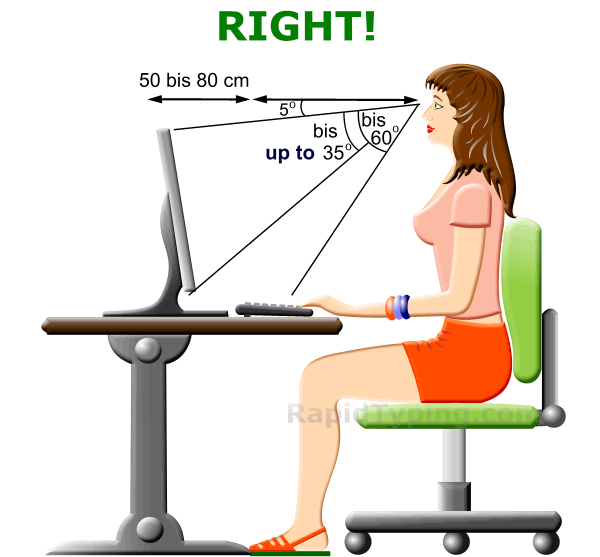
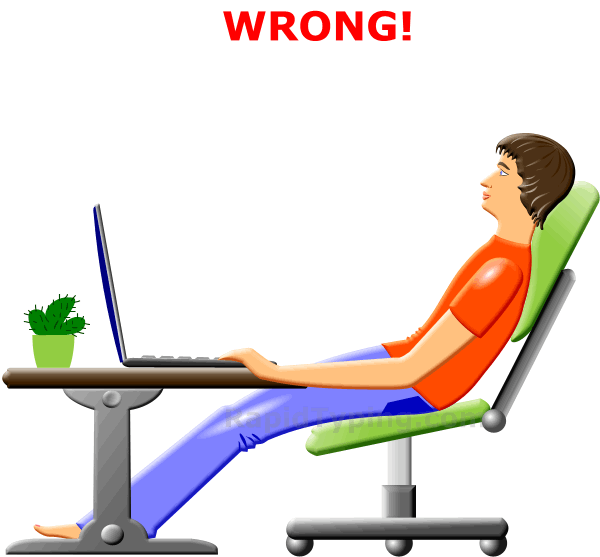
The way you sit and hold your hands and arms can make a BIG difference in how fast you can type.
Practice your home keys with

HOME KEY FACTORY

and

TYPING ADVENTURE 

Do you think you are a Home Key Master?  Prove it with this online game: Home Key Mastery

Ready to move beyond the home keys and into typing words?  Try the MAGIC SPELL

Let’s see how many words you can type in 30 seconds with FAST TYPER 2
Click the image above for Digital Passport

Tech 4-5: Programming w Scratch

Today we begin exploring programming.  Let’s play and experience a couple of programs created by students.

ELGAMER

elliot gamer ScratchBrainy Atom

lilly game scratch

Steps to Create a Scratch Account

  1.  go to http://scratch.mit.edu/
  2. Click Join Scratch on top right of webpage
  3. Choose a username.  Make sure it is NOT your real name.  Think of something cool, memorable and appropriate.
  4. Click Next
  5. Fill out your birthdate and gender
  6. For parent or Guardian, enter mdiltz@pps.net
  7. Click Next
  8. Complete the Scratch Registration form below

CLICK HERE TO REGISTER YOUR SCRATCH ACCOUNT

Tech Class 4-5: #3

Digital Citizenship
click the image above to login.

Geolocation and Google Earth

  1. Check out the resource page on Google Earth.
  2. Try the 5 round game GeoGuessr
  3. Make a note of your score.
  4. Post a comment below indicating your score and a link to your game to challenge someone else. (Link is next to the purple/pink target on the page)geoguessr screenshot
  5. If time Try someone’s challenge from the comment section and see if you can beat their score.